
Einleitung
Die Anschaffung eines neuen Monitors ist nicht so einfach, wie sich es viele Konsumenten vorstellen. Unterschiedliche Panel-Technologien und technische Ausstattungsmerkmale erschweren die Kaufentscheidung. Die oft zitierte „Eierlegende Wollmilchsau“ gibt es nicht. Kein Monitor ist für alle Aufgabengebiete gleichermaßen geeignet. Die Allround-Modelle bieten zwar von allen Einsatzzwecken etwas, aber eben nicht das Optimum in jedem Bereich. Aus diesem Grund haben wir für Sie eine Übersicht erstellt, welche Kriterien bei der Kaufentscheidung Berücksichtigung finden sollten.
Natürlich spielt bei einer Neuanschaffung auch der Kaufpreis eine Rolle. Oftmals kostet ein neuer Rechner mehrere tausend Euro. Es gibt sogar Hardcore-Nutzer, deren Grafikkarte allein schon 1.000 Euro vom Gesamtbudget beansprucht. Umso verwunderlicher ist es dann, wenn der Monitor gerade mal 400 bis maximal 500 Euro kosten darf. Hier stimmt das Verhältnis nicht. Immerhin sitzt man tagtäglich stundenlang vor dem Bildschirm, und da sollte die Qualität schon stimmen. Also nicht nur einen extrem leistungsstarken und teuren PC kaufen und dann mangels weiteren Budgets beim Monitor sparen. Qualität hat auch bei einem Display ihren Preis.
In dieser Kaufberatung geben wir Ihnen Hinweise, auf welche Punkte Sie bei der Auswahl eines Monitors achten sollten. Konkrete Empfehlungen zu Modellen für die verschiedensten Einsatzzwecke stellen wir Ihnen in unseren Top-10-Bestenlisten zur Verfügung. Viele der dort genannten Monitore und passendes Zubehör erhalten Sie zum Beispiel bei Conrad.de.
Unsere Grundlagenartikel zu verschiedenen Themen haben wir am Ende dieses Beitrags verlinkt.
Ausstattungsmerkmale, die jedem Monitor gut zu Gesicht stehen
Bei der Ausstattung hat jeder Anwender seine eigenen Vorstellungen. Unabhängig vom Einsatzzweck bieten Monitore zahlreiche Ausstattungsmerkmale, die dem Benutzer die Arbeit am Bildschirm erleichtern sollen. Wer zwei Computer an seinen Bildschirm anschließen möchte, sollte ein Modell mit integriertem KVM-Switch in Betracht ziehen. Damit lassen sich beispielsweise ein PC und ein Notebook mit nur einer Maus und einer Tastatur steuern. Die Qualität dieser verbauten Switches reicht von genial bis unbrauchbar. Manchmal werden die Funktionen auch nur als Softwarelösung angeboten. Die Qualität eines solchen Switches hängt schlicht davon ab, wie viele Klicks im OSD nötig sind, um von Quelle 1 auf Quelle 2 umzuschalten. Sind es zu viele, wird der Switch schlicht nicht genutzt, und die Umschaltung erfolgt über Tastatur und Maus, wie bei der Logitech MX Master S3 (Anzeige) und der MX Keys S (Anzeige).




Einen USB-C- oder Thunderbolt-Anschluss bieten mittlerweile etliche Modelle. Allerdings sollte sich jeder genau überlegen, was mit der USB-C-Schnittstelle erreicht werden soll. Schnelle Datenübertragung, Stromversorgung und Bildübertragung sind möglich, aber in vielen Fällen nicht gleichzeitig. Deshalb sollte man sich unbedingt vorher informieren, welche USB-Version verbaut ist und ob es Einschränkungen bei der Nutzung gibt. So bietet USB 3.2 Gen 1×1 Übertragungsgeschwindigkeiten von 5 Gbit/s, während es bei USB 3.2 Gen 2×2 20 Gbit/s sind. USB4 bietet sogar 40 Gbit/s, dürfte jedoch derzeit nur in wenigen Modellen zum Einsatz kommen.
Die Features Picture by Picture (PbP) und Picture in Picture (PiP) können für manche Anwender nützlich sein. Zu beachten ist hier jedoch, welche Auflösungen und Seitenformate dargestellt werden können. Auch Größe und Positionierung spielen bei PiP eine nicht unwesentliche Rolle.
Die im Monitor integrierten Lautsprecher können in der Regel nicht mit externen Lösungen mithalten – schon gar nicht, wenn es sich um 1- oder 2-Watt-Lautsprecher handelt. Wichtiger wäre hier ein Line-out, der als Kopfhörerausgang genutzt werden kann oder das Signal an externe Lautsprecher weiterleitet.
Panel-Technologien
Ein entscheidender Faktor für eine optimale Bilddarstellung ist die verwendete Panel-Technologie. In dem ausführlichen Artikel „Aktuelle Display-Technologien im Vergleich“ gehen wir auf die momentan am Markt erhältlichen Technologien ein und zeigen auf, welche Display-Panels für die unterschiedlichen Nutzergruppen infrage kommen.
Anschlüsse
Um den Monitor mit dem PC zu verbinden, kommen in der Regel folgende Schnittstellen infrage: DisplayPort, HDMI, USB-C, DVI oder D-Sub. D-Sub überträgt nur analoge Signale und verschwindet langsam vom Markt. Auch DVI wurde bereits durch HDMI und DisplayPort verdrängt. Alle Anschlüsse besitzen unterschiedliche Revisionen. Insbesondere bei HDMI, DisplayPort und USB hat es in letzter Zeit neue Revisionen gegeben, da 4K-Monitore und Grafikkarten für die Signalübertragung immer leistungsstärkere Schnittstellen benötigen. Es sollte deshalb vor dem Kauf darauf geachtet werden, welche Revision die verbauten Eingänge besitzen.
Curved-Design
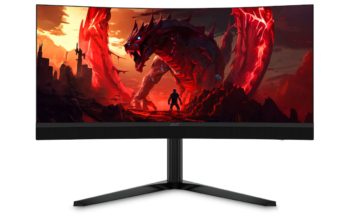
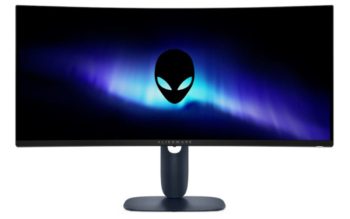
Die gekrümmten Monitore haben sich am Markt etabliert. Sie unterscheiden sich allerdings beim Krümmungsradius. Im Handel sind Modelle mit einem Radius von 800 bis 3800 R erhältlich. Je kleiner der Wert, desto stärker die Wölbung.



Ob Curved-Monitore nun besser sind als ihre flachen Mitstreiter, ist sicherlich eine Geschmacksfrage. Jedoch ergibt das Curved-Design bei einem Bildschirm aus unserer Sicht mehr Sinn als bei einem Fernseher, da der Nutzer mittig vor dem Display Platz nimmt. Und wirklich sinnvoll ist so eine Wölbung auch erst dann, wenn der Bildschirm eine gewisse Breite besitzt – ein 21:9-Bildformat sollte es also schon sein.
Während im TV-Segment die Modelle mit Krümmung vom Markt verschwunden sind, ist der Trend bei den Monitoren zumindest stabil. Etwa 17 % der am Markt erhältlichen Modelle sind gebogen. Bei den Fernsehern kam nämlich erschwerend hinzu, dass insbesondere bei mehreren Zusehern eben nicht jeder mittig vor dem Fernseher sitzt und der Effekt deshalb die außen sitzenden Personen meist stört. Das ist bei den Monitoren anders, weil der Nutzer in der Regel auf die Bildmitte blickt, da er allein vor dem Bildschirm sitzt.
In unserem Artikel „Flat- oder Curved-Monitor: Welche Variante ist besser?“ gehen wir auf die Vor- und Nachteile von gekrümmten Monitoren ein und stellen zahlreiche Vor-, aber auch Nachteile bei der Nutzung gegenüber.
Ergonomie
Unter „Ergonomie“ zählen die verschiedensten Dinge. So sollte ein Bildschirm entspiegelt und optimal an die eigenen Bedürfnisse anpassbar sein. Dazu zählen in erster Linie die Höhenverstellung, die Drehung in den Pivot-Modus, die Veränderung des Neigungswinkels nach vorn und hinten sowie die seitliche Drehfunktion.
Damit die Augen auch bei längerem Arbeiten nicht zu sehr beansprucht werden, sollte der Monitor flimmerfrei sein und bei der Helligkeitssteuerung auf Pulsweitenmodulation (PWM) verzichten. Außerdem ist es hilfreich, wenn der Bildschirm per Knopfdruck blaue Lichtanteile aus dem Bild herausfiltert. Dies kann das Lesen von Texten signifikant erleichtern.
Welche zehn Punkte die Ergonomie am Arbeitsplatz erleichtern, finden Sie in folgendem Artikel: Der ergonomische Arbeitsplatz: Die 10 wichtigsten Ergonomie-Funktionen (enthält Werbung).
Auf einige zusätzliche Ausstattungsmerkmale gehen wir in den folgenden Anwendungsszenarien ein.
Anwendungsszenarien – Welche Art von Monitor benötige ich?
Büromonitor
Wer lediglich Office-Dokumente bearbeitet, im Internet surft, Fotos am Bildschirm betrachtet oder sich YouTube-Videos ansieht, muss sich um die Bildaufbauzeit weniger Gedanken machen. Hier stehen Ergonomie und Blickwinkelstabilität im Vordergrund. Blaulichtfilter und Flimmerfreiheit des Panels bieten heute fast alle Hersteller an. Dennoch kann auch im Office-Einsatz eine höhere Bildwiederholrate die Bilddarstellung verbessern. Anfang 2024 gibt es immer mehr Business-Monitore mit 100 oder 120 Hz.
Ein guter Büromonitor sollte zumindest eine Höhenverstellung bieten. Wer häufig lange Dokumente liest, wird sich über die Pivot-Funktion freuen, die das Display in den Porträtmodus (hochkant) drehen kann. Als Panel-Technologie ist IPS („In Plane Switching“) oder VA („Vertical Alignment“) bestens geeignet. Die Blickwinkeleigenschaften und die Farbdarstellung sind für diesen Einsatzzweck optimal.
Welche Bilddiagonale, welches Bildformat (16:9, 16:10 oder 21:9) oder welche Auflösung zum Einsatz kommen soll, ist Geschmackssache und vom jeweiligen Nutzer abhängig. Auch die Entscheidung, ob flach oder gebogen (curved), ist individuell zu treffen. Dennoch sollten einige Aspekte berücksichtigt werden: Beim Format ist 16:10 besser als 16:9, da mehr Platz in der Höhe zur Verfügung steht. Curved-Monitore ergeben erst bei 21:9 Sinn, wobei sich dieses Format nicht für den Pivot-Betrieb eignet.
Ein Monitor liefert nur in der nativen (empfohlenen Auflösung) ein optimales Bild. Wer gute Augen hat, kann sich Modelle mit WQHD-Auflösung ansehen. Ob Full HD bei 27 Zoll noch Sinn ergibt, hängt vom Nutzer ab. Schrift erscheint in dieser Konstellation verpixelt und unsauber. Gerade ältere Personen oder Menschen mit Sehschwäche können von größeren Pixeln und der damit verbundenen größeren Schriftdarstellung profitieren.
Monitore mit 4K-Auflösung sind mittlerweile im Preis deutlich gesunken, und selbst bei einem 27-Zoll-Display hat die Auflösung 3840 x 2160 durchaus Sinn. Wir haben uns zu diesem Thema ausführlich in dem Beitrag „Sind 4K-Monitore im Desktop-Bereich alternativlos?“ auseinandergesetzt.
Für einen Business-Monitor kann ein Anwesenheits- oder Lichtsensor ein sinnvolles Ausstattungsmerkmal sein, um Stromkosten zu sparen und ein angenehmes Arbeiten zu ermöglichen. Auch ein LAN-Port kann das per USB-C angeschlossene Notebook mit Ethernet versorgen. Doch hier ist die anfangs bereits erwähnte USB-Version ebenfalls von Bedeutung, denn eine langsame Verbindung ins Netzwerk oder Internet möchte niemand haben, wenn die verfügbare Bandbreite schon größtenteils für die Bildübertragung verwendet wird.
Wer oft an virtuellen Meetings teilnimmt, wird eine integrierte Webcam mit Mikrofon schätzen. Aber auch hier gilt wie schon bei den Lautsprechern: Die Erwartungshaltung sollte nicht zu groß sein. Für optimale Ergebnisse zahlt man für eine externe, höherwertige Webcam 150 Euro oder mehr. Das können interne Lösungen, schon in Bezug auf den Kaufpreis des Monitors, in der Regel nicht leisten.
Daisy-Chain (auf Deutsch: „Gänseblümchenkette“) bezieht sich auf die Methode, z. B. mehrere Monitore mit nur einem Kabel zu verbinden und in Reihe zu schalten. Anstatt eine Vielzahl von Kabeln direkt an den Computer anzuschließen, werden sie auf die Anschlüsse der einzelnen Monitore verteilt.
Bildbearbeitungs- und Grafikmonitor
Wir richten uns hier an die Zielgruppe der Profis, die an ihrem Monitor farbverbindlich arbeiten wollen, und nicht an Nutzer, die lediglich ihre Urlaubsbilder bearbeiten, oder Webdesigner, bei denen es auf die genau definierte farbliche Darstellung eines Bildes nicht ankommt.
Ein Profi-Grafikmonitor sollte sicherlich eine Hardware-Kalibrierung ermöglichen und den benötigten Farbraum möglichst zu 100 Prozent darstellen, egal ob nun sRGB, DCI-P3 oder Adobe RGB. Außerdem sollte darauf geachtet werden, dass eine Option zur Optimierung der Flächenhomogenität vorhanden ist.
Obwohl Hersteller wie BenQ, ViewSonic und LG gute Grafik-Displays im Angebot haben, ist im Profisegment, was Hardware und Software betrifft, die Firma EIZO führend. NEC stellte ebenfalls jahrelang Monitore für dieses Segment her, hat aber schon seit Jahren keine neuen Profi-Grafikmonitore mehr im Sortiment. Die speziellen Grafikmonitor-Serien von EIZO stellen derzeit das Nonplusultra bei Bildqualität und Bedienkomfort dar. Jahrelange Erfahrungen im Bereich der Hardware-Kalibrierung trennen die Spreu vom Weizen. Das hat allerdings seinen Preis und ist für viele Anwender schlicht unerschwinglich.
In High-End-Grafikmonitoren kommt oftmals die Technologie „IPS Black“ zum Einsatz, die es ermöglicht, ein dunkleres Schwarz zu liefern und damit ein höheres Kontrastverhältnis zu bieten. Herkömmliche IPS-Panels besitzen ein typisches Kontrastverhältnis von 1000:1, bei IPS Black liegt es mit 2000:1 doppelt so hoch. Dies ist auch deshalb wichtig, weil die Option zur Verbesserung der Flächenhomogenität das Kontrastverhältnis reduziert.
Zubehör wie eine Sichtschutzblende gehört bei den Profigeräten schon meist zum Lieferumfang dazu. In jedem Fall sollten Sie sich vor dem Kauf darüber informieren, mit welchen Kolorimetern die beiliegende Software zusammenarbeitet. Neuere Modelle haben bereits integrierte Kolorimeter, was den Erwerb eines externen Geräts erübrigt. Es ist im Übrigen sinnvoll, vorher abzuklären, ob im Bildschirm ein Lüfter verbaut ist. Gerade bei Grafik-Displays, die stabile Werte liefern sollen, kann dies schon mal vorkommen, ist aktuell allerdings eher die Ausnahme.

















Schließe mich an: Je größer der Wert, desto SCHWÄCHER die Wölbung.
Und wo steht es anders?
Moin, wollen wir das hier nicht mal überarbeiten?… Der Artikel ist älter als die Dad-Jokes die auf Youtube laufen…
Das soll eine Kaufberatung sein, daher kommen hier auch immer mal wieder Leute vorbei. Ganz tolle Website…
Prinzipiell bin ich an einem guten Gamingmonitor interessiert.
In Zeiten von Homeoffice ist es natürlich ideal, wenn man einen Gamingmonitor hätte, der sich auch im Homeoffice gut schlägt.
Dazu zählen für v.A. ein breites Display (mindestens UWQHD) und v.A. ein integrierter KVM-Switch dazu.
Leider ist die Auswahl da sehr gering (Gigabyte M27Q, nur WQHD bzw. M32Q, auch nur WQHD)
Hier nun einige Anmerkungen zur geäußerten Kritik. Die konkreten Modellempfehlungen geben wir in identischer Form in den Top 10 Bestenlisten wieder. (https://www.prad.de/test-kaufberatung/top-10-bestenlisten/) Auch dort gibt es wie bisher eine Einteilung nach Gaming, Allrounder, Grafik und Bildschirmdiagonale. Der einzige Unterschied ist, dass die Empfehlungen nicht auf einer einzigen Seite stehen.
Und der Grund warum das so ist, wird sicher jeder denken können, der eine Seite vermarktet. Es gibt mehr Seitenaufrufe und so kann mehr Werbung eingeblendet werden. So finanzieren wir uns nun mal und wer das nicht akzeptieren will, muss seine Infos anderweitig finden. Das ist hier keine Hobbyseite, sondern hier Arbeiten Menschen dran, die auch eine Bezahlung erwarten. Wir sind kreativ und versuchen es Jahr für Jahr aufs neue die Finanzierung sicherzustellen und das ist nicht gerade einfach. Das Thema TFT-Monitore hat heute einen anderen Stellenwert als vor 10 oder 17 Jahren, als wir gestartet sind.
Zu der Listenansicht der Testberichte. Die Entscheidung eine solche Liste wieder anzubieten ist bereits gefallen. Allerdings haben wir noch keinen Programmierer gefunden, der uns dies umsetzt. Wer also einen fähigen Programmierer mit freien Kapazitäten kennt oder selbst einer ist, kann sich gerne mit mir in Verbindung setzen.
Ich würde es gerne jedem recht machen, aber manchmal muss man einfach abwägen, insbesondere bei den Kosten. Ich selbst kann nicht programmieren und wenn diese Leistung eingekauft werden muss, dann wird das Ganze schnell teuer. Und danke für das Feedback, es bleibt nicht ungehört !
Hallo, die 10ner Bestenlisten sind ja auch teils veraltet. Und manche Exemplare mit kein Preis bedeutet doch nur, gibts nicht mehr….
Ich kann mich den anderen Kommentatoren nur anschließen! Die Seite hat ihre ganzen, ehemaligen Vorzüge verloren.
Man hatte früher viel mehr und bessere Möglichkeiten seinen „perfekten“ Monitor in euren wirklich tollen Listen rauszufiltern. Die Berichte sind weiterhin über jeden Zweifel erhaben, versteht mich nicht falsch! Aber ich würde für das neue prad kein Geld mehr bezahlen wollen. Wirklich schade. Vielleicht nehmt ihr euch das Feedback mal zu Herzen und kommuniziert eure Gedanken dazu. Am Ende werdet ihr das ja durch die Nutzerstatistik besser beurteilen können, wie das neue Design ankommt (gut, ist ja nun auch schon einige Monate / Jahre alt).
Oft sind es auch die unzufriedenen Menschen, die ihr Leid öffentlich klagen. Da geht das positive Feedback oft unter, wenn denn überhaupt schriftlich verfasst.
Die übersichtlichen und filterbaren Listen sowie die gute alte Kaufberatung in Form von konkreten Modellen und ich würde evtl. wieder öfters vorbeischauen – habe ich früher sehr gerne gemacht!
Ich kann mich nur Herrn Berndroth anschließen. Früher habe ich schnell und zielgenau meinen gewünschten gefunden. Die Seite ist total unübersichtlich und ich werde meinen Bekannten die Seite nur noch eingeschränkt empfehlen. Sorry, aber eine derarige Verschlimmbessserung habe ich selten erlebt
Hallo,
nach dem ReDesign euerer Website hatte ich gehofft, irgendwann wieder die klassische Monitor-Beratung zu finden:
Ähnlich wie zuvor: Aaalso … Zielgruppe (Grafiker) => Größe wählen => übersichtliche Vorschläge samt links, Tests etc.
Ich bin Grafik-Dozent und habe schon hunderte Menschen in der vergangenen Jahren zu Euch geschickt – auch meinen aktuellen Monitor habe ich über prad.de gefunden.
Leider komme ich aus folgenden Gründen leider in letzter Zeit davon ab.
Die Übersichtlichkeit und Such-Möglilchkeiten sind aktuell einfach nicht praktikabel!
…. ich wollte eben nach einem evtl. neuen Bildbearbeitungmonitor für mich suchen …ich finde einfach keinen Weg dazu.
Weiter oben stehen zwar völlig richtige Aussagen zu Grafikmonitoren – es fehlen jedoch die entsprechenden links etc. bzw. eine Auflistung
Es würde mich unendlich freuen, wenn Ihr dies wieder hin bekämt.!
Eure Website war gerade wegen diesen nun nicht mehr vorhandenen Möglichkeit absolut OUTSTANDING!!!
Aktuell weiß ich nicht mehr, was ich davon halten soll.
Dem kann ich mich nur anschliessen! Ihr Alleinstellungsmerkmal hat die Seite verloren.
Was die Seite einst ausgezeichnet hat war die Kaufberatung, geordnet nach Zielgruppen, Displaygrössen und Ansprüchen. Übersichtlich und klar gegliedert.
Ich selbst habe prad.de mehrfach weiterempfohlen, weil man hier unter Kaufberatung punktgenau die Monitore finden konnte, die zu seinem Anwendungsbereich passen. Dies ist nun leider obsolet geworden. Wen interessieren z.B. die 10 besten 27 zoll Grafikmonitore, wenn man ein grösseren Bildschirm sucht?
Ich würde mich freuen, wenn die Seite ihre ursprüngliche Funktion wieder zurück bekommen würde.
Also, ich vermisse auch die Kaufberatung, die nach Zielgruppe untergeordnet war. Auch ich hatte wie meine Vorredner, mehrere Leute mit solchen Monitoren von Ihrer Seite beglücken können.
Wollte heute für einen weiteren Bekannten einen Monitor von Ihrer Seite empfehlen.
Auch ich würde mich freuen, wenn die ursprüngliche Form wiederhergestellt werden würde.
Hi. Der Link zu den Top10-Listen funktioniert leider aktuell nicht. Grüße Markus
Danke für den Hinweis, der Link funktioniert jetzt.
Wieso löschen, Du hast doch vollkommen Recht. Ich habe das korrigiert.
Mein Kommentar zur Wölbung kann übrigens gerne wieder gelöscht werden. Ist nur als Anmerkung gemeint.
„Im Handel sind Modelle mit einem Radius von 1500R bis 3000R erhältlich. Je größer der Wert, desto stärker die Wölbung.“
Sollte es nicht heißen: Je größer der Wert, desto SCHWÄCHER die Wölbung. Der Wert bezieht sich schließlich auf den Radius des gedachten Kreises. Ist der Radius klein haben die Kreisabschnitte eine stärkere Wölbung und umgekehrt.