Nicht nur für professionelle Nutzer, die beispielsweise in einer Werbeagentur oder in der elektronischen Bildverarbeitung (EBV) auf eine natürliche – oder besser „neutrale“ Farbwiedergabe angewiesen sind, spielt die Kalibrierung des verwendeten Monitors eine entscheidende Rolle.
Auch ambitionierte PC-Anwender im Amateurbereich wollen ihre Grafiken oder Spiele möglichst farbgetreu dargestellt bekommen. Häufig schaffen sich Amateur-Fotografen hochwertige digitale Spiegelreflexkameras an und sind dann von den aufgenommenen Bildern enttäuscht, wenn sie diese am Monitor betrachten.
Ursache ist dafür nicht selten ein unzureichend kalibrierter Bildschirm. Grund genug also, sich mit dem Prozess der Kalibrierung intensiver zu befassen. Der Begriff „Kalibrierung“ stammt aus der Messtechnik und bezeichnet das Einmessen eines Geräts mit Hilfe definierter Sollwerte.
Hinsichtlich der Kalibrierung eines Displays wird diese Definition noch ausgeweitet und meint das Festlegen bestimmter Eigenschaften, die Einfluss auf Helligkeit, Kontrast und Farbwiedergabe des Monitors haben.
Der direkte Weg – Einstellungen im Gerät
Grundsätzlich unterscheidet man zwischen Hardware- und Softwarekalibrierung. In beiden Fällen kommt ein Messgerät (Kolorimeter) zum Einsatz, mit dem sich die aktuellen Farbwerte des zu kalibrierenden Displays ermitteln lassen. Bei der Softwarekalibrierung wird zusätzlich eine Farbmanagement-Software wie zum Beispiel iColor von Quato benötigt.


Das manuelle Einstellen von Helligkeit und Kontrast sind einfache Beispiele für eine Software basierte Kalibrierung, was fast jeder TFT-Monitor ermöglicht. Es wird versucht die in der Kalibrierungssoftware vorgegeben Zielwerte, durch Veränderung der Werte Kontrast, Gamma, RGB und Helligkeit im OSD des Monitors, so genau wie möglich zu treffen.




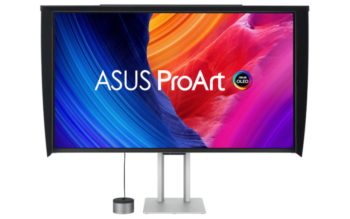
Teure Grafikerdisplays lassen zudem die Festlegung aller weiteren Parameter zu: Hier können Graubalance, Gammawert und Schwarzpunkt im Gerät selbst, also in der Hardware festgelegt werden.
Im Gegensatz zu gewöhnlichen TFT-Monitoren bieten sie auch eine präzisere Einstellung des Weißpunkts über die Farbkanäle an. Anstelle von 50, 100 oder 256 einstellbaren Stufen pro Farbkanal lassen Grafikerdisplays mit 10, 12 oder 14-Bit-LUT bis zu 16.384 Abstufungen zu.


Dem Nutzer wird damit ein hohes Maß an Präzision geboten, weil im Gegensatz zur Softwarekalibration keine Einstellungen über die Grafikkarte und eine Farbmanagement-Software vorgenommen werden müssen. Der Farbraum des Monitors bei der Hardwarekalibrierung kann vollständig genutzt werden.
Der indirekte Weg – wenn die Software eingreifen muss
Im Gegensatz dazu setzt eine Softwarekalibrierung dort an, wo keine Hardwarekalibrierung möglich ist oder der Hardwarekalibrierung Grenzen gesetzt sind. Das ist bei fast allen herkömmlichen Geräten der Fall, die meist nur Einstellmöglichkeiten für Helligkeit, Kontrast und die Farben Rot, Grün und Blau zulassen.
Alle anderen Einstellungen wie der Gammawert, die Graubalance und der Schwarzwert müssen dann über die Farbmanagement-Software verändert werden. Diese erstellt ein Farbprofil, das direkt die Farbausgabe der Grafikkarte modifiziert.




Weil dabei in der Regel Farbabstufungen wegfallen, sind Verluste in der Farbdarstellung unvermeidbar; besonders in Verläufen können dann Stufen und Abrisse sichtbar werden, das sogenannte Banding.
Je näher sich der Monitor über die am Gerät vorhandenen Einstellungen an die Zielvorgaben „heran kalibrieren“ lässt, desto weniger muss die Software ins Geschehen eingreifen und umso gleichmäßiger werden feine Verläufe dargestellt.
Bei der reinen Hardwarekalibrierung hingegen bleibt das Signal der Grafikkarte unbeeinflusst; alle Kalibrierungsparameter werden direkt im Monitor gesteuert und abgelegt, so dass unerwünschtes Banding nicht auftritt und das komplette Spektrum an Farben erhalten bleibt.
Nicht der subjektive Eindruck zählt
Das Ziel jeder Kalibrierung ist es nicht, eine Farbwiedergabe zu erzielen, die der subjektiven Wahrnehmung des Nutzers entspricht bzw. diesem besonders gut gefällt, sondern eine möglichst neutrale Wiedergabe der Farben zu erreichen.
Monitore, die schon längere Zeit verwendet werden und an denen die Bildeinstellungen verändert wurden, werden nur in seltenen Fällen die Farben neutral wiedergeben. Folgerichtig werden als erster Schritt bei der Kalibrierung eines TFT-Monitors die Grundeinstellungen des Herstellers wieder hergestellt.
Je nach Modell werden anschließend Helligkeit, Gamma, Graubalance und Weißpunkt (Farbtemperatur) mit Hilfe der Software und eines Messgeräts (Kolorimeter) so nahe wie möglich an die Zielwerte angepasst.
Anschließend erfolgen das Einmessen und die Erstellung eines ICC-Farbprofils. Hinter der Abkürzung ICC verbirgt sich das International Color Consortium, das Richtlinien für die Profilierung von Monitoren vorgibt. Das Hinterlegen von Farbprofilen hat den Vorteil, dass der Nutzer je nach Anwendung zwischen verschiedenen Profilen wählen kann. Voraussetzung ist dabei, dass die Profile auch zu den Einstellungen des Monitors passen.

Wann ist eine Kalibrierung überhaupt erforderlich?
Letztendlich sind die Anforderungen des Nutzers dafür ausschlaggebend, ob überhaupt kalibriert und eventuell Geld in einen entsprechend gut einstellbaren Monitor sowie die erforderlichen Messwerkzeuge investiert werden muss.
Wer lediglich im Internet surft, spielt oder mit einem Textverarbeitungsprogramm arbeitet, wird in der Regel weder seinen Monitor noch seinen Drucker oder Scanner mit großer Genauigkeit kalibrieren müssen. Die Standardeinstellungen reichen dafür aus oder der Monitor wird schlicht so eingestellt, wie einem die Farben am besten gefallen.
Wer sich hingegen intensiv mit digitaler Fotografie oder generell mit elektronischer Bildverarbeitung beschäftigt, kommt um die Kalibrierung seines Monitors und eine objektiv gute Farbwiedergabe nicht herum.
Sind die Ansprüche sehr hoch und soll insbesondere beim Profilieren eine hohe Genauigkeit ohne Verluste in der Farbdarstellung erzielt werden, wird man nicht umhin kommen, sich einen (komplett) hardwarekalibrierbaren Monitor anzuschaffen.
Auch moderne TFT-Monitore verändern im Laufe ihrer Betriebsdauer die Farbwiedergabe, so dass eine Kalibrierung relativ häufig erforderlich ist. Spezialisten gehen davon aus, dass bei häufigem Gebrauch eines Monitors etwa alle vier bis sechs Wochen neu kalibriert werden sollte.
Die Farbwiedergabe ist nicht einmal bei Geräten einer Baureihe absolut identisch, so dass eine Kalibrierung auch bei neuwertigen Geräten sinnvoll ist und die mitgelieferten Farbprofile der Hersteller meistens nur grob für die Baureihe, jedoch nicht für das spezielle Gerät optimiert sind.

Sollten Sie zu den 9 Prozent Männern mit Rot-Grün-Schwäche zählen, wird Ihnen der folgende Tipp leider nicht helfen. Wer kein Kolorimeter besitzt, kann die Einstellungen auch per Software und gutem Augenmaß durchführen. Dabei wird ausschließlich mit Hilfe von Testbildern eine möglichst korrekte Farbwiedergabe manuell eingestellt. Wer ein gutes Auge, am besten sogar etwas Erfahrung und auf jeden Fall Geduld hat, bekommt so auch relativ gute Ergebnisse mit geringem Kostenaufwand.
gefällt es